Panoramica di ScreenApp: tutto ciò che devi sapere

La registrazione dello schermo è diventata uno strumento essenziale per la comunicazione, la formazione e la creazione di contenuti nell'era digitale. Dai corsi online alle presentazioni aziendali, dai tutorial software alle guide di supporto clienti, gli screen recorder aiutano a trasformare idee complesse in spiegazioni visive chiare. ScreenApp è una popolare soluzione di registrazione dello schermo basata su browser, ideale per gli utenti che desiderano un modo semplice e veloce per catturare le proprie schermate senza installare software.
In questo articolo forniremo una panoramica completa di ScreenApp, spiegando cos'è, come funziona, le sue caratteristiche principali, i casi d'uso più comuni e i suoi pro e contro.
1. Che cos'è ScreenApp?
ScreenApp è uno strumento di registrazione dello schermo basato sul web che consente agli utenti di registrare i propri schermi direttamente da un browser come Chrome o Edge. ScreenApp è apprezzato per la sua interfaccia semplice e la facilità di accesso. Gli utenti possono iniziare a registrare con pochi clic, senza scaricare o installare alcun software desktop.
ScreenApp si concentra sulle funzionalità essenziali di registrazione dello schermo piuttosto che su strumenti di produzione avanzati. Le sue caratteristiche principali includono:
- Registrazione dello schermo basata sul browser senza installazione
- Registra a schermo intero, finestre di applicazioni o schede del browser
- Microfono e registrazione audio di sistema
- Archiviazione cloud per i video registrati
- Riproduzione istantanea e link condivisibili
- Strumenti di base per il ritaglio e la gestione dei video
2. Come funziona ScreenApp?
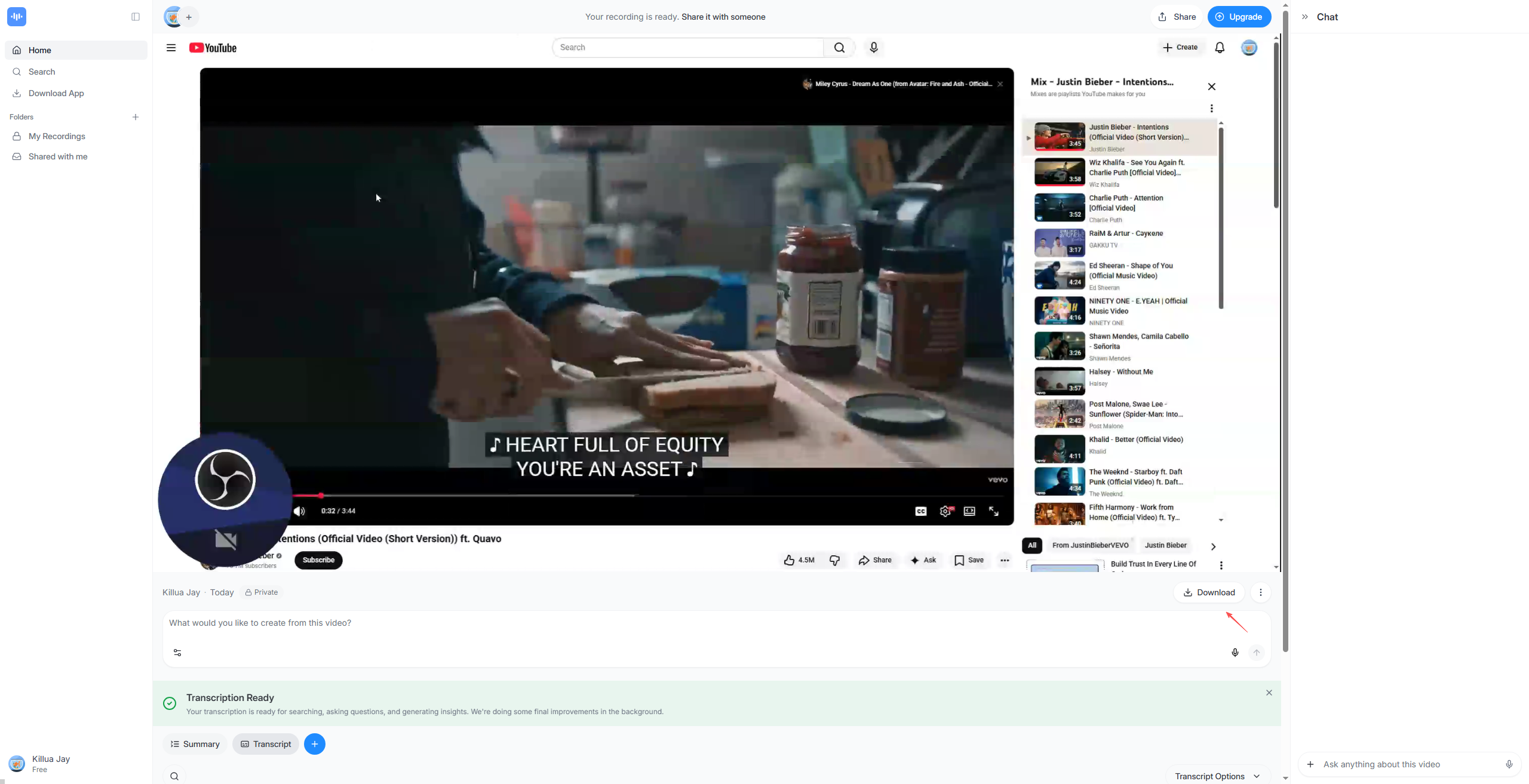
ScreenApp utilizza le moderne API dei browser per catturare l'attività dello schermo. Il processo di registrazione è semplice e adatto anche ai principianti:
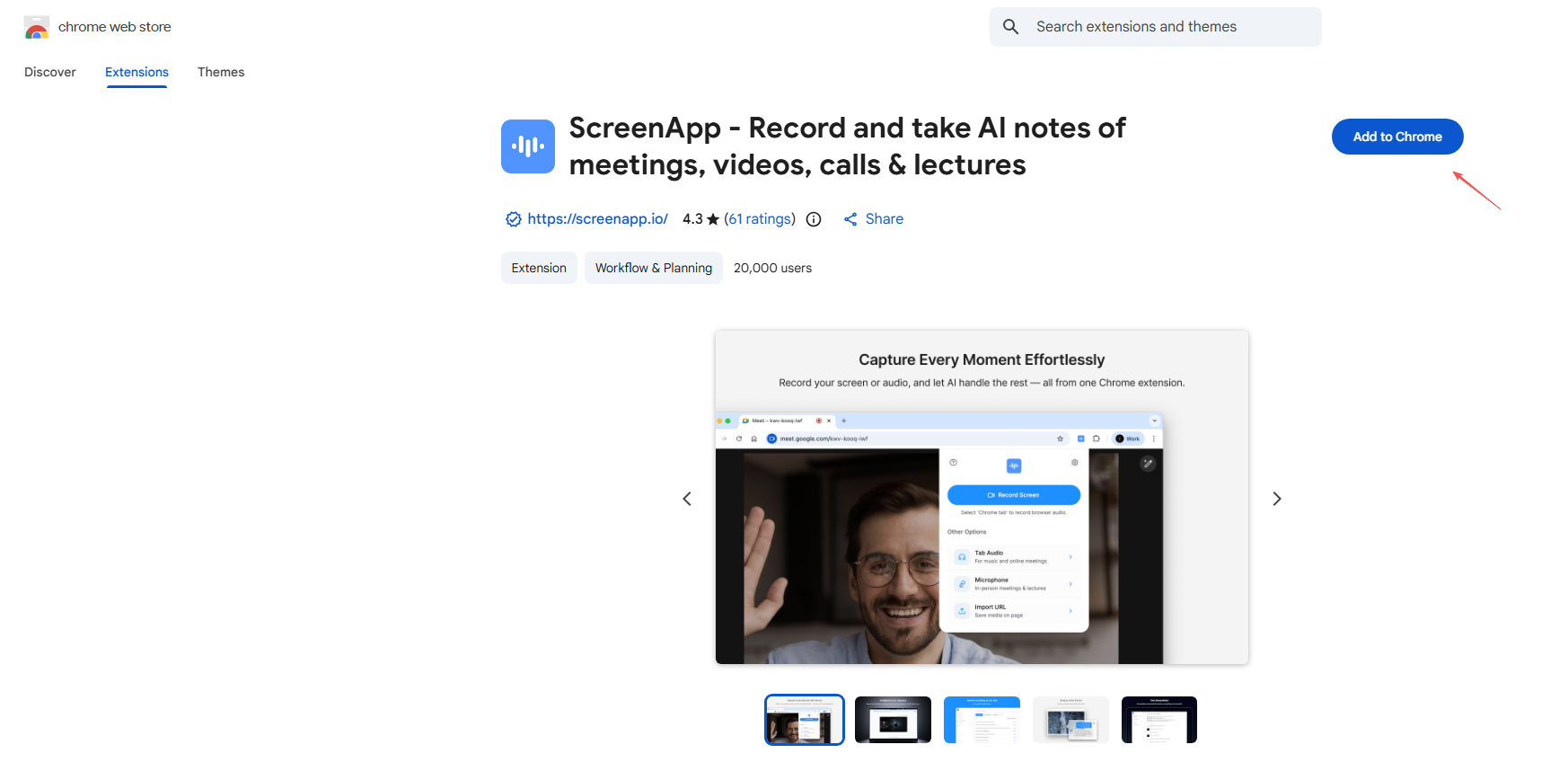
Passaggio 1: vai su screenapp.io per installare l'estensione ScreenApp sul tuo Chrome.
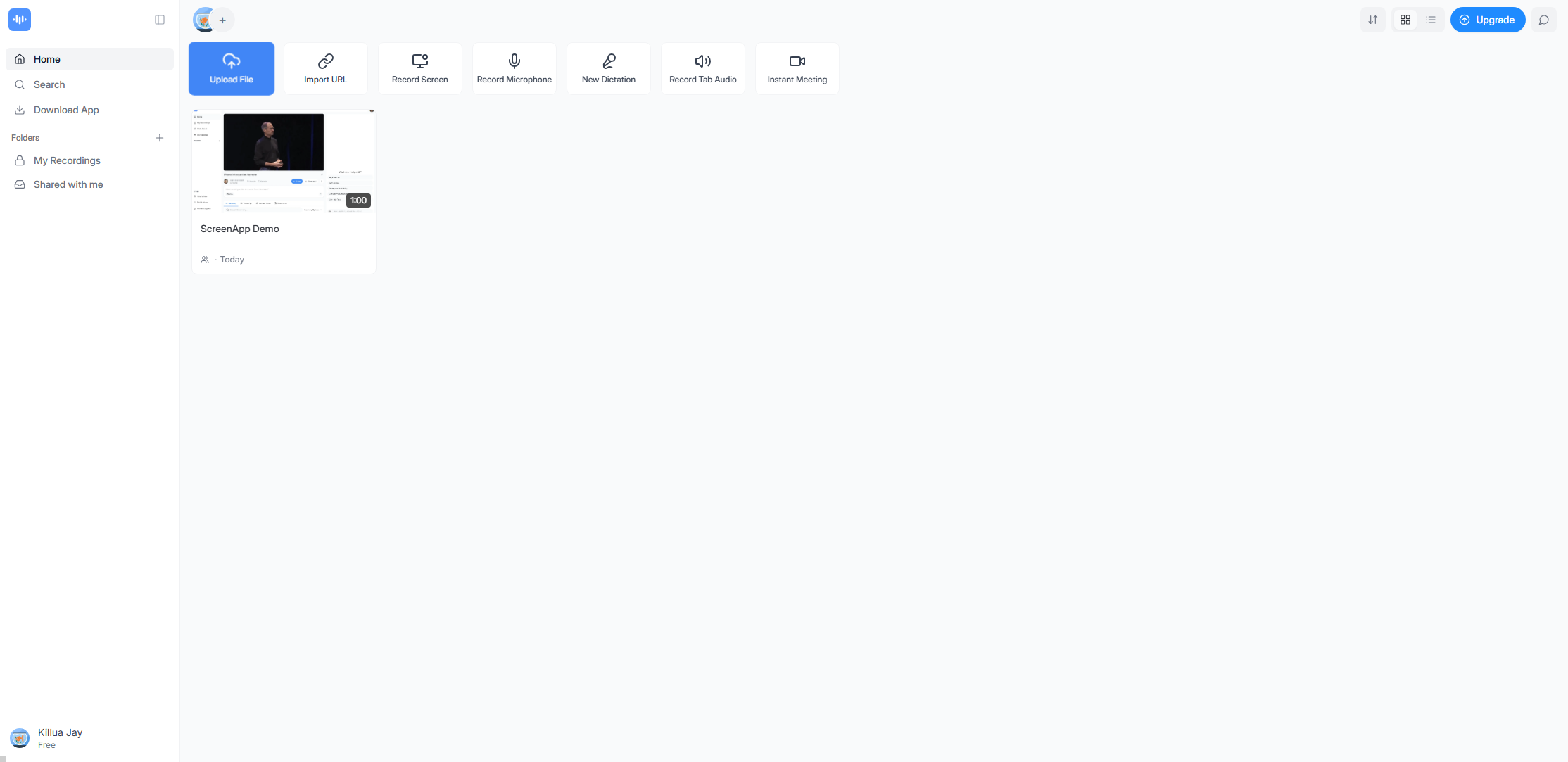
Passaggio 2: apri ScreenApp, scegli la modalità di registrazione (registra schermo, microfono, audio della scheda e altro)
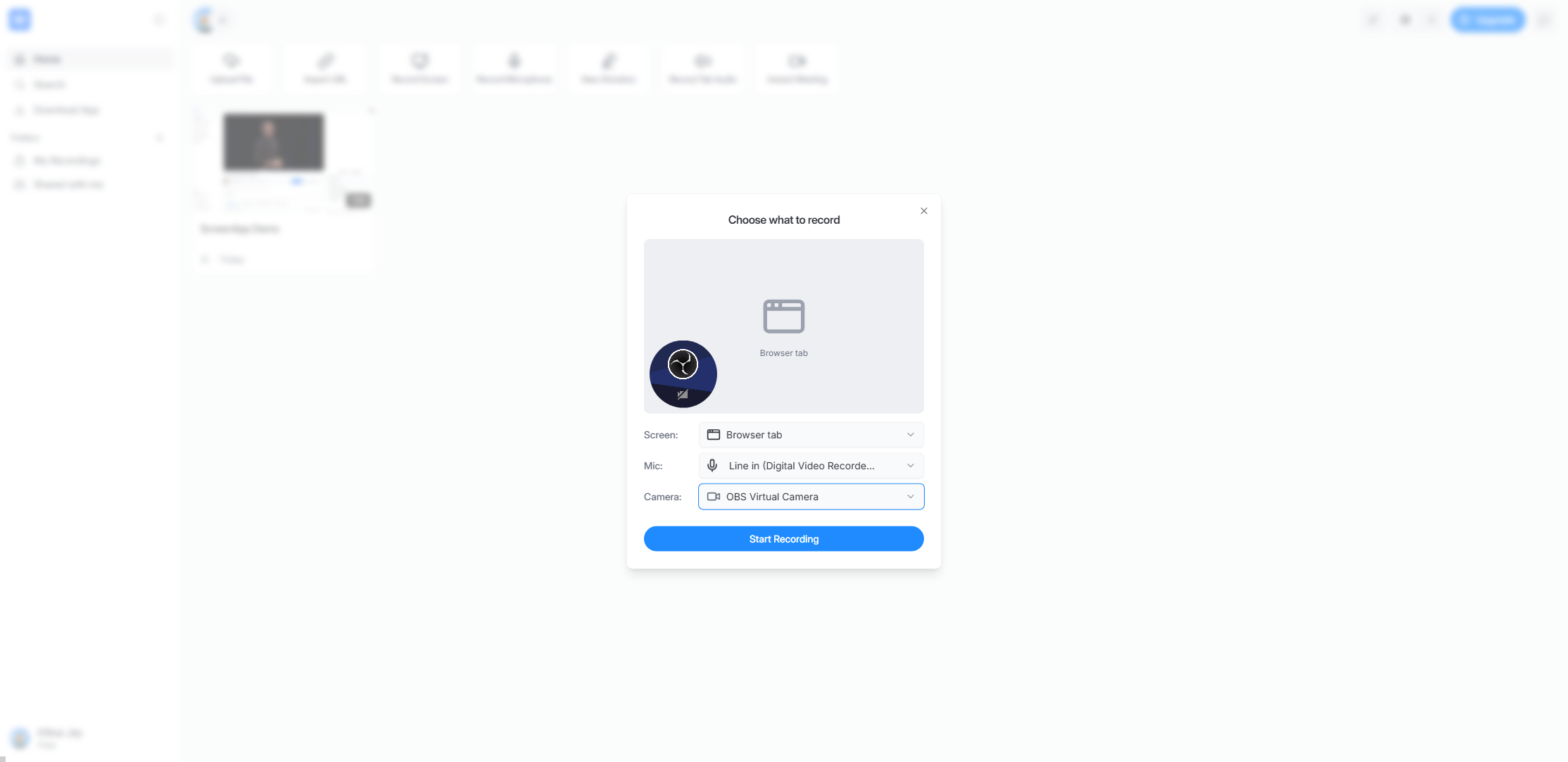
Passaggio 3: imposta l'area di registrazione, il microfono e la telecamera, quindi inizia a registrare l'attività dello schermo.
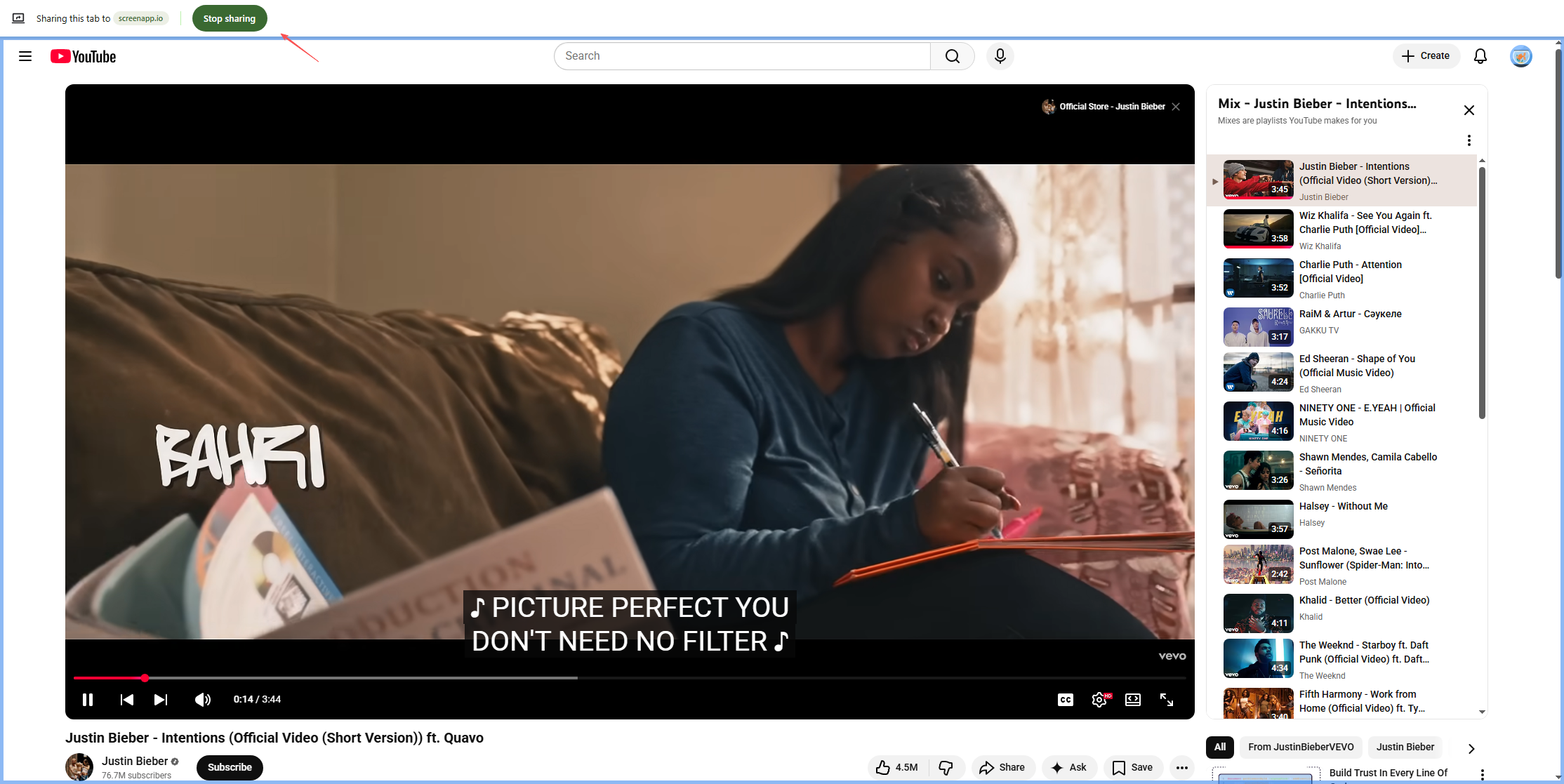
Passaggio 4: una volta terminata la condivisione, interrompere l'operazione, quindi riavviare ScreenApp e attendere che il file venga caricato.
Passaggio 5: visualizza l'anteprima, salva, scarica o condividi il video tramite un collegamento.
3. Casi d'uso comuni per ScreenApp
ScreenApp è progettata per attività di registrazione rapide e semplici. I casi d'uso più comuni includono:
- Formazione online
Insegnanti e istruttori utilizzano ScreenApp per registrare lezioni, presentazioni e tutorial passo passo per gli studenti.
- Lavoro a distanza e collaborazione
I team che lavorano da remoto si affidano alle registrazioni dello schermo per spiegare le attività, condividere aggiornamenti o fornire feedback in modo asincrono, riducendo la necessità di riunioni.
- Demo e guide dettagliate sui prodotti
I team di vendita e marketing utilizzano ScreenApp per registrare dimostrazioni di prodotti e panoramiche delle funzionalità per i potenziali clienti.
- Creazione di contenuti
Creatori e blogger utilizzano ScreenApp per semplici video tutorial, panoramiche software e contenuti esplicativi.
- Servizio Clienti
I team di supporto creano guide visive e video per la risoluzione dei problemi che aiutano gli utenti a risolvere i problemi in modo più efficiente.
4. Pro e contro di ScreenApp
Professionisti:
- Nessuna installazione di software richiesta
- Facile da usare, anche per i principianti
- Compatibilità multipiattaforma tramite browser
- Condivisione rapida con link basati sul cloud
- Ideale per registrazioni brevi e semplici
Contro:
- Funzionalità di modifica avanzate limitate
- Le prestazioni dipendono dal browser e dalla connessione Internet
- Limiti di registrazione sui piani gratuiti
- Non ideale per registrazioni lunghe o di alta qualità
- Ci vuole molto tempo per caricare il file dopo la registrazione
5. Prova la potente alternativa a ScreenApp – Swyshare Recordit
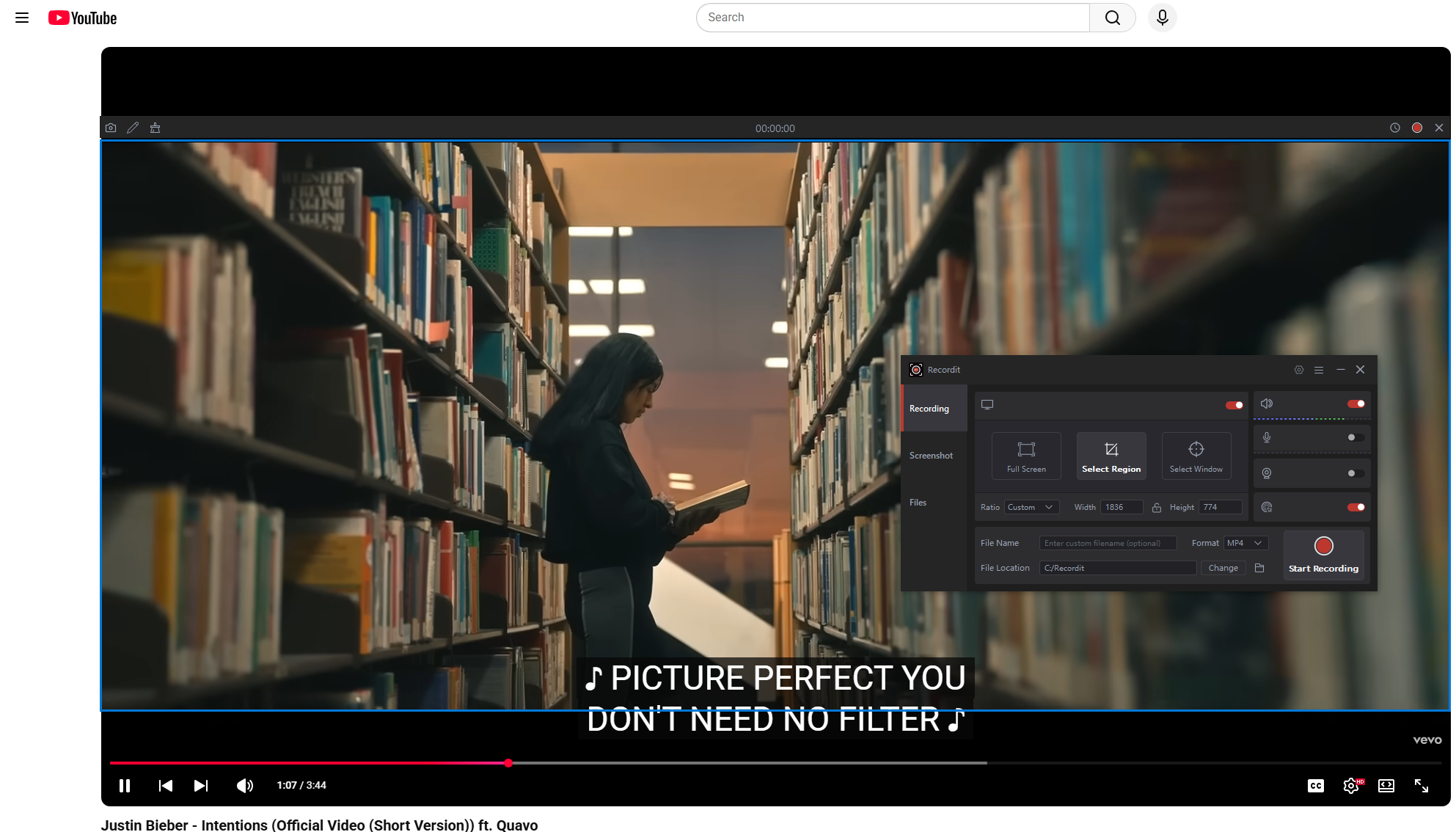
Per gli utenti che necessitano di maggiore potenza, stabilità e qualità di registrazione di livello professionale, Swyshare Recordit è una valida alternativa a ScreenApp. A differenza degli strumenti basati su browser, Recordit è un registratore dello schermo desktop progettato per offrire prestazioni fluide, output ad alta definizione e controlli di registrazione avanzati.
Caratteristiche principali di Swyshare Recordit :
- Registrazione dello schermo HD e Full HD di alta qualità
- Registra a schermo intero, in una regione selezionata o in finestre specifiche
- Registrazione simultanea di audio e microfono di sistema
- Registrazione tramite webcam e modalità picture-in-picture
- Strumenti di annotazione ed evidenziazione durante la registrazione
- Riproduzione istantanea e registrazione programmata
- Editor integrato per aggiungere logo/sfondo e ridimensionare il video
- Esporta le registrazioni direttamente in locale per garantire la privacy
Come usare Swyshare Recordit per registrare l'attività dello schermo:
- Scarica e installa Swyshare Recordit su Windows o macOS
- Avvia il programma e scegli una modalità di registrazione (schermo, regione o finestra), seleziona le sorgenti audio (suono di sistema, microfono o entrambi), abilita la webcam e imposta il tipo di output o la risoluzione, se necessario.
- Fare clic sul pulsante di registrazione per avviare la registrazione; al termine, interrompere la registrazione.
- Recordit salverà automaticamente il video registrato nella scheda "File", consentendoti di aprirlo e guardarlo offline.
6. Confronto: ScreenApp vs Swyshare Recordit
| Caratteristica | ScreenApp | Swyshare Recordit |
|---|---|---|
| Piattaforma | Basato sul Web | Desktop (Windows e macOS) |
| Installazione | Non richiesto | Necessario |
| Qualità di registrazione | Standard | Alta definizione |
| Dipendenza da Internet | Alto | Nessuno |
| Controllo audio | Di base | Avanzato |
| Supporto webcam | Limitato o nessuno | Supporto completo |
| Modifica e annotazioni | Rifinitura di base | Editor video avanzato integrato |
| Ideale per | Registrazioni rapide e semplici | Registrazioni professionali e lunghe |
7. Conclusion
ScreenApp è una soluzione pratica per gli utenti che desiderano un modo semplice e veloce per registrare lo schermo direttamente da un browser. È ideale per video brevi, spiegazioni rapide e un utilizzo occasionale. Tuttavia, i suoi limiti in termini di prestazioni, personalizzazione e qualità di registrazione possono emergere con l'aumentare delle esigenze.
Per educatori, professionisti, creatori e aziende che necessitano di prestazioni stabili, output di qualità superiore e maggiore controllo, Swyshare Recordit è la scelta migliore. Il suo design basato su desktop elimina le limitazioni del browser, mentre le sue funzionalità avanzate lo rendono adatto a tutto, dai tutorial e presentazioni alle demo di prodotto e ai video di formazione.
Se sei pronto ad andare oltre la semplice registrazione basata sul browser e desideri un registratore dello schermo potente, affidabile e professionale, Swyshare Recordit è altamente raccomandato.